Hi Apidog team/community,
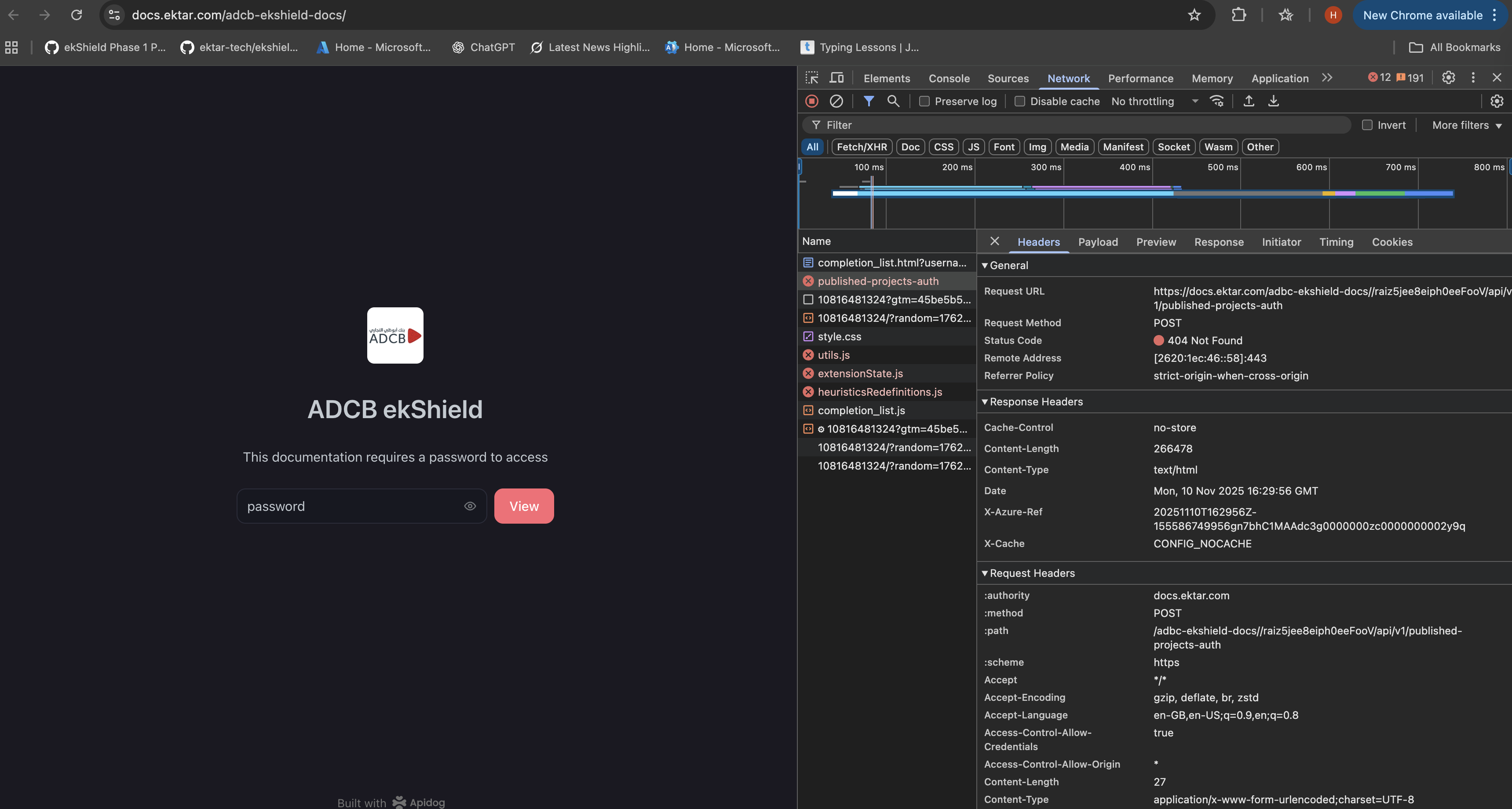
When accessing a password-protected Apidog documentation through a custom domain configured in Azure Front Door (ADCB ekShield)
 Issue
Issue
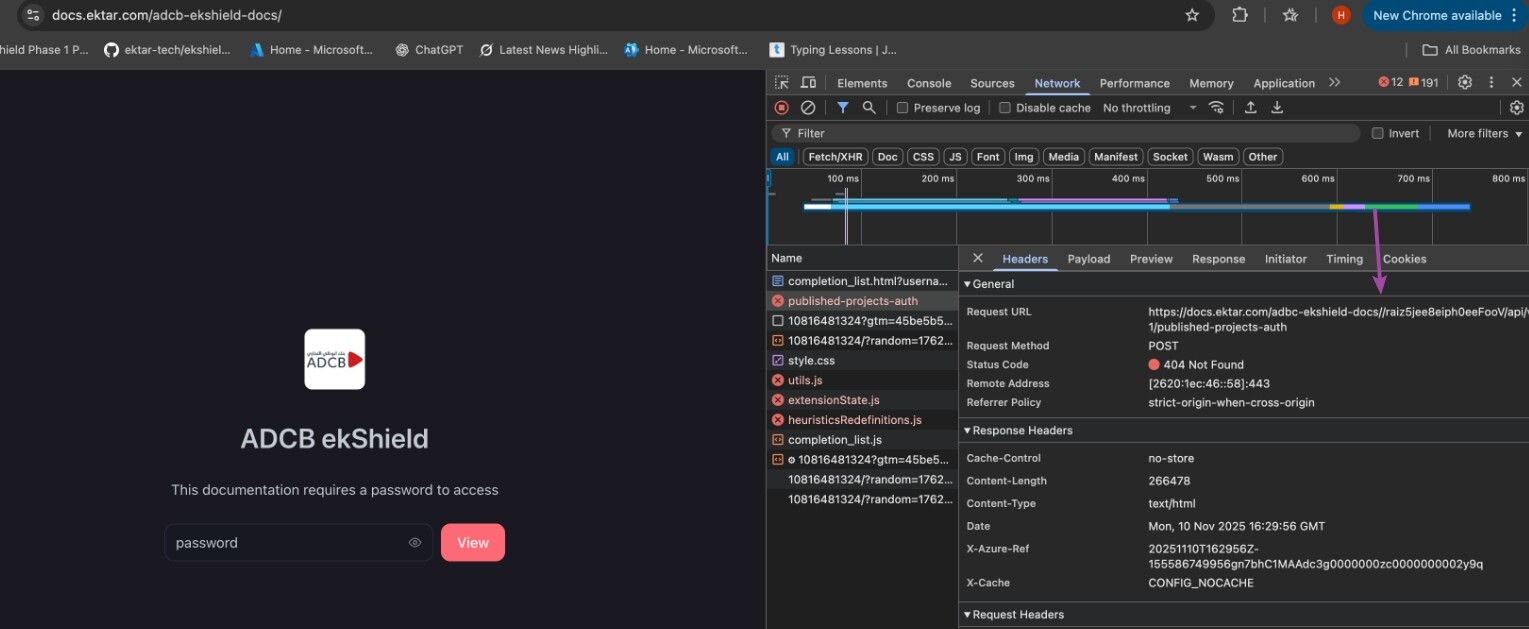
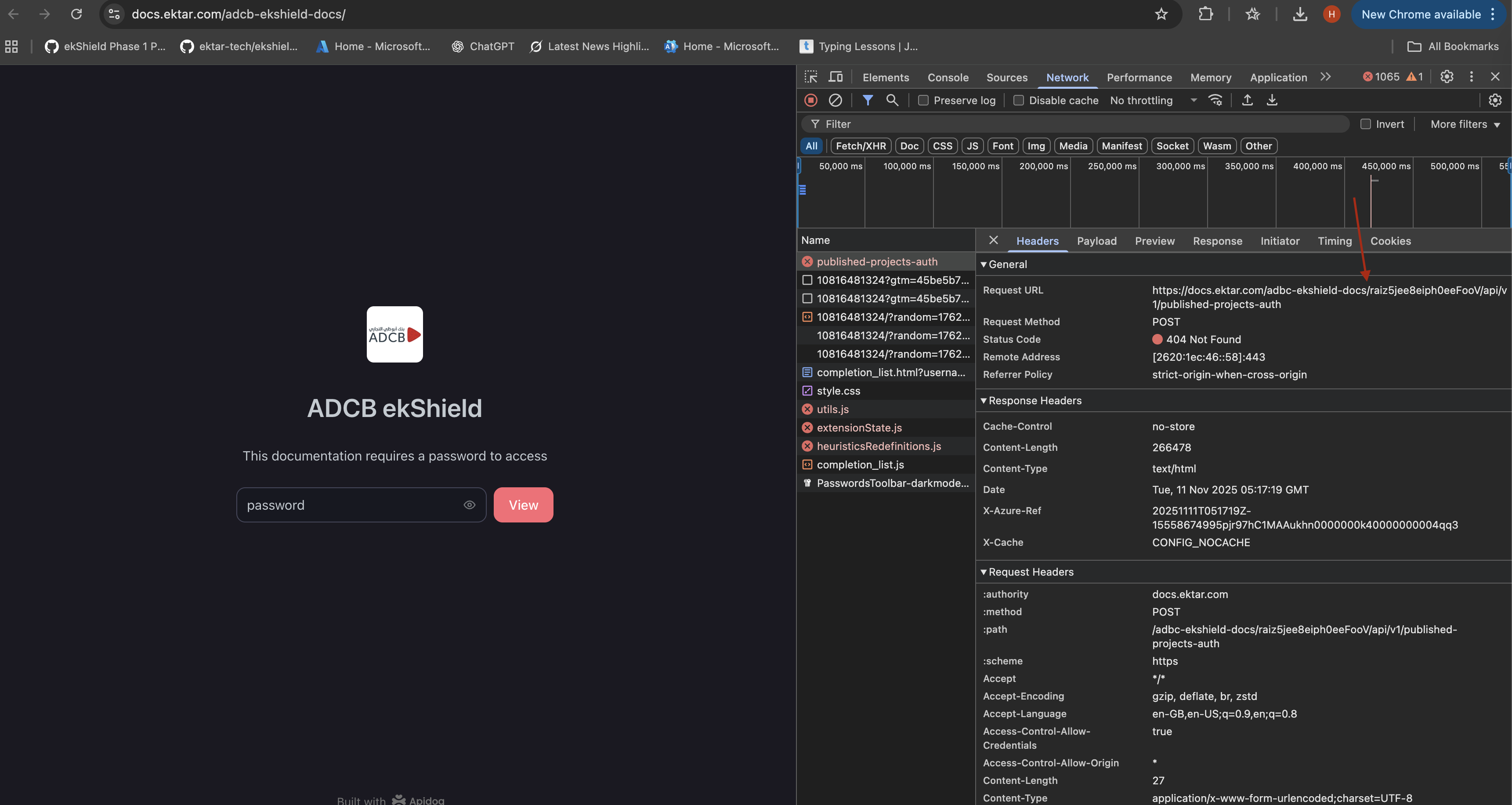
After entering the correct password on
 ADCB ekShield
returns 404 Not Found.
I have followed the steps as mentioned in Apidog’s official documentation for setting up a custom domain:
Publish Documentation
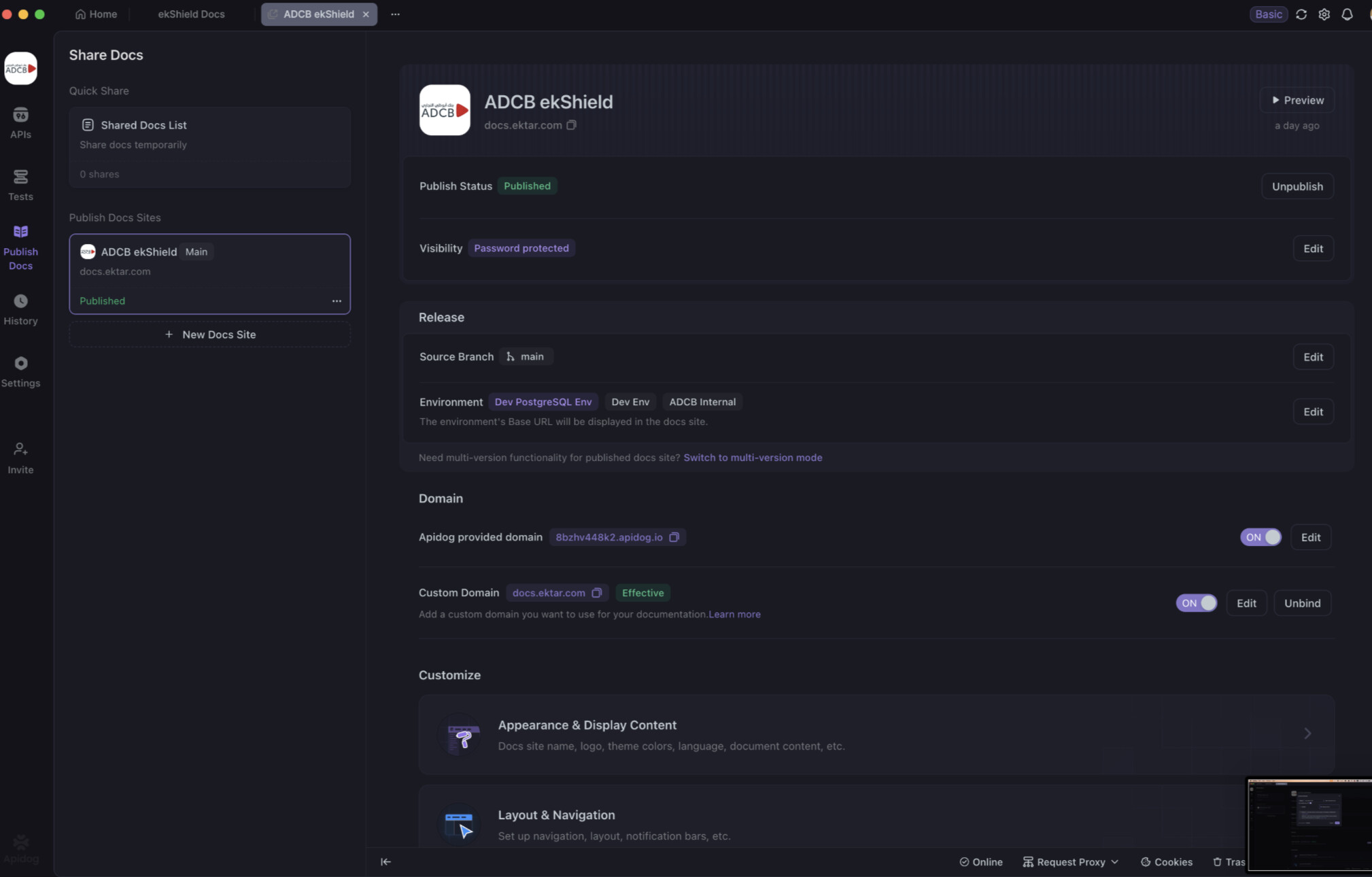
• Project: ADCB ekShield
• Publish Status: Published
• Visibility: Password protected
• Source Branch: main
• Environment: Dev PostgreSQL Env, Dev Env, ADCB Internal
• Apidog provided domain: 8bzhv448k2.apidog.io
• Custom domain: docs.ektar.com → Status: Effective
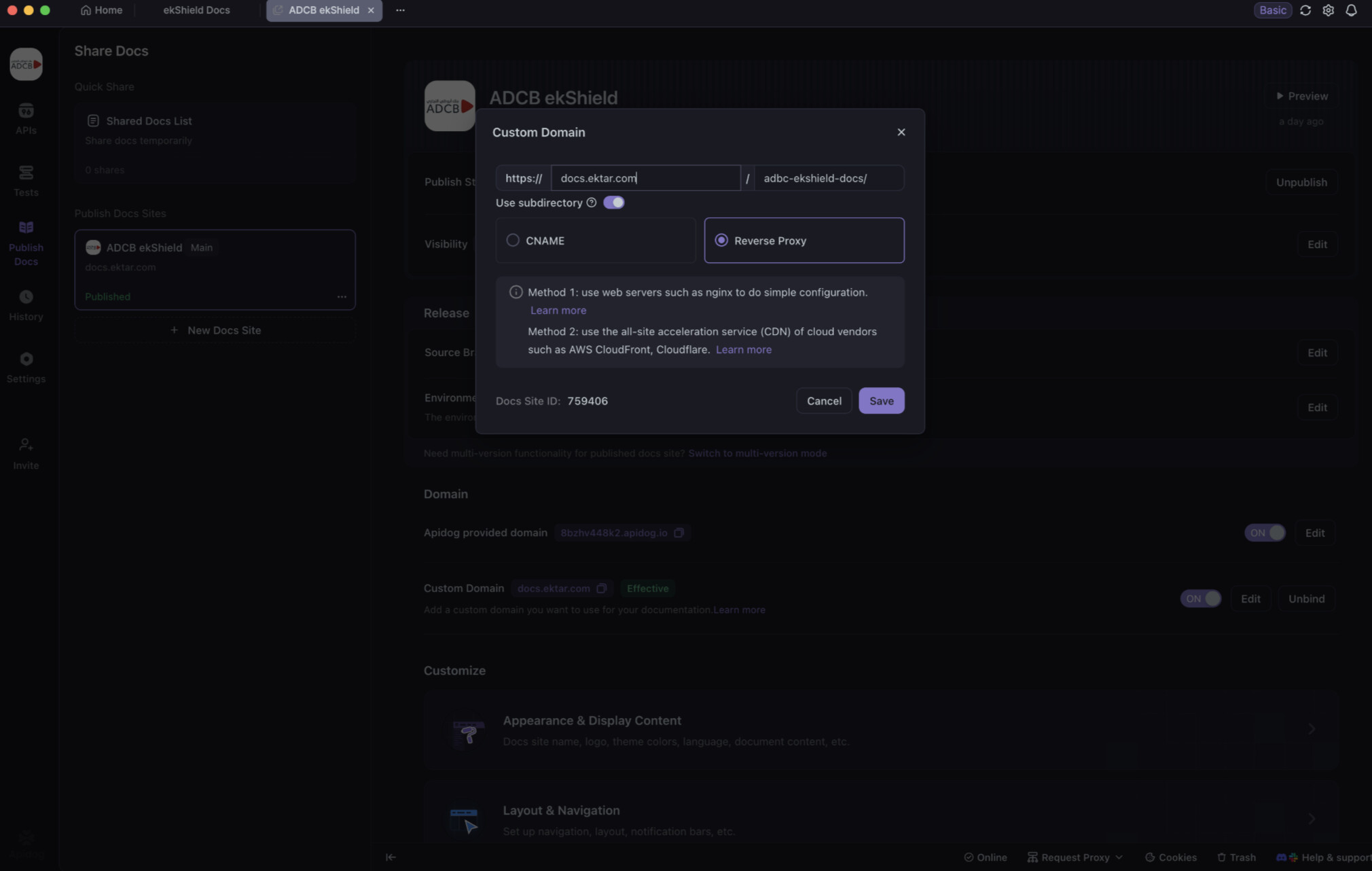
Configure Custom Domain in Apidog
1. Apidog → Publish Docs → ADCB ekShield
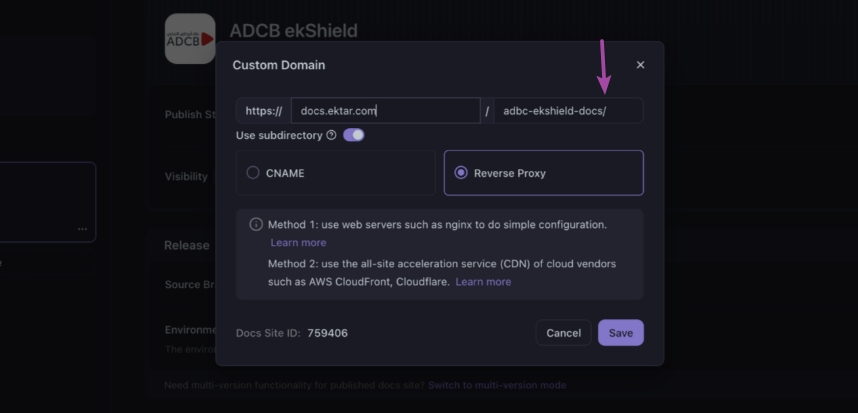
2. Clicked Edit under the Custom Domain section.
3. Entered domain details as:
• Custom Domain: https://docs.ektar.com
• Subdirectory: adcb-ekshield-docs/
4. Enabled option Use subdirectory
5. Selected Reverse Proxy (Method 2: use CDN such as Azure Front Door)
6. Verified Docs Site ID: 759406
I’ve attached the PDF named CustomDomain-via-AFD, which outlines the steps I followed to configure a custom domain using Azure Front Door.
Is there something wrong with the setup, or is it a bug?

Hi Ariharasudhan,
Thank you for your feedback. We’ll investigate the issue and resolve it as soon as possible.
Hi Ariharasudhan,
It looks like there might be an extra / character at the end of the subdirectory in your custom domain setup. Try removing the / after adcb-ekshield-docs and see if that resolves the issue.
Hello, it seems there’s an extra “/” character at the end of your custom domain subdirectory. Please try removing it and check again.
I removed the “/” after adcb-ekshield-docs in the Apidog app, but I’m still getting the same 404 Not Found error when accessing ADCB ekShield
It appears the routing configuration in your Azure Front Door setup is incorrect.
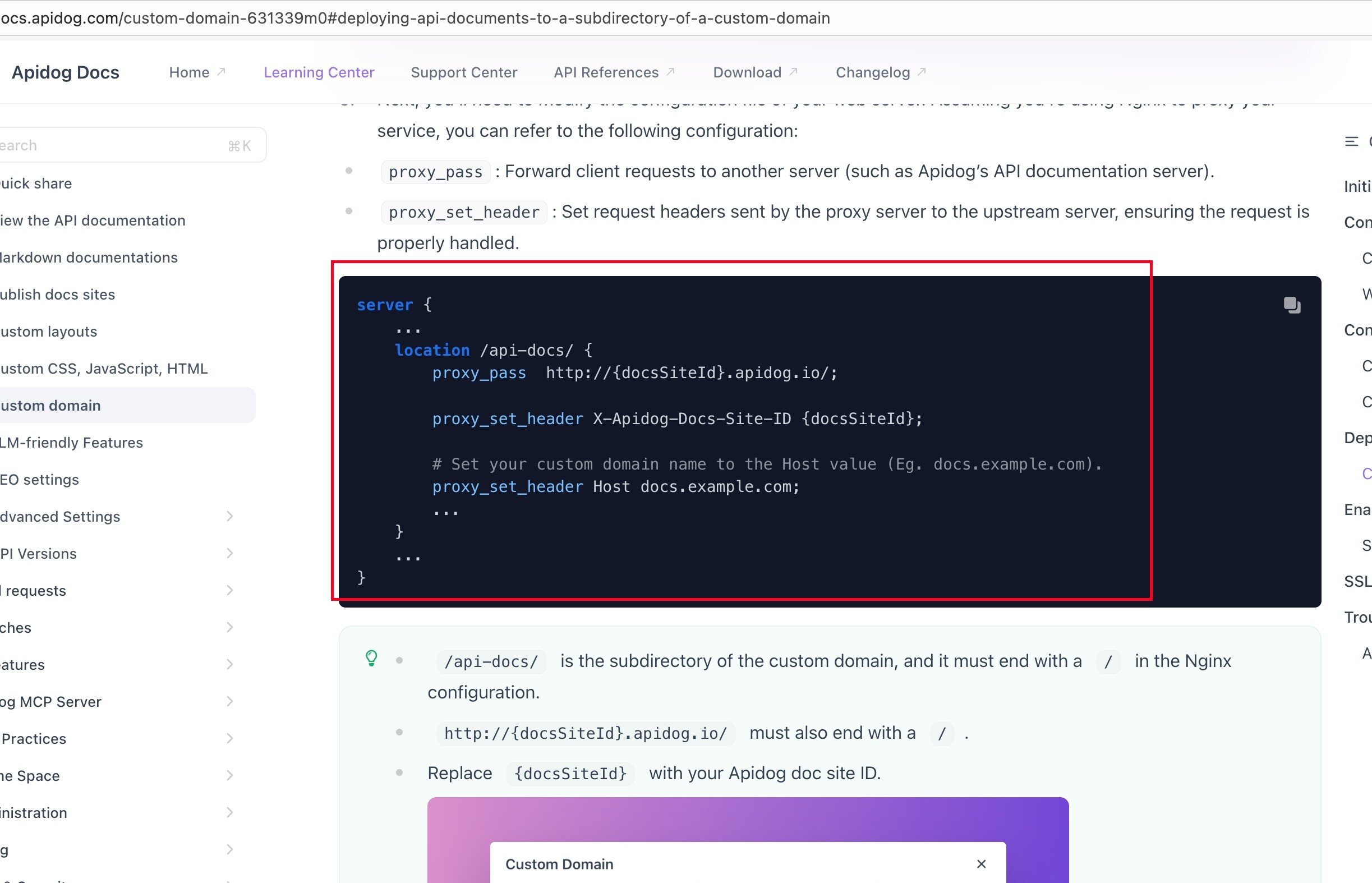
The expected configuration should achieve the same effect as the Nginx example in our documentation.
For example:
When accessing: https://docs.ektar.com/adbc-ekshield-docs/raiz5jee8eiph0eeFooV/api/v1/configs/client
It should forward to Apidog’s endpoint: http://759406.apidog.io/raiz5jee8eiph0eeFooV/api/v1/configs/client
Please verify your Azure Front Door routing rules match this forwarding behavior.
Hi Apidog Team,
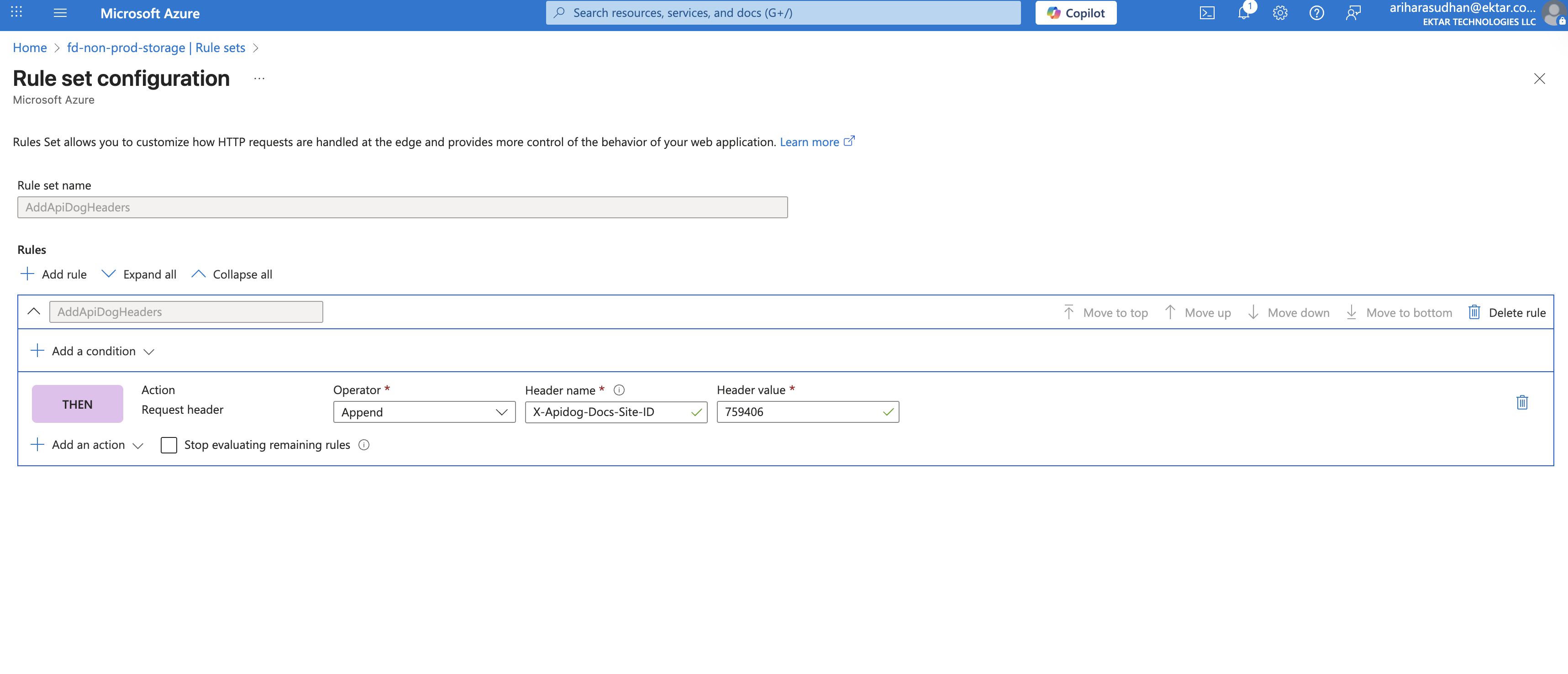
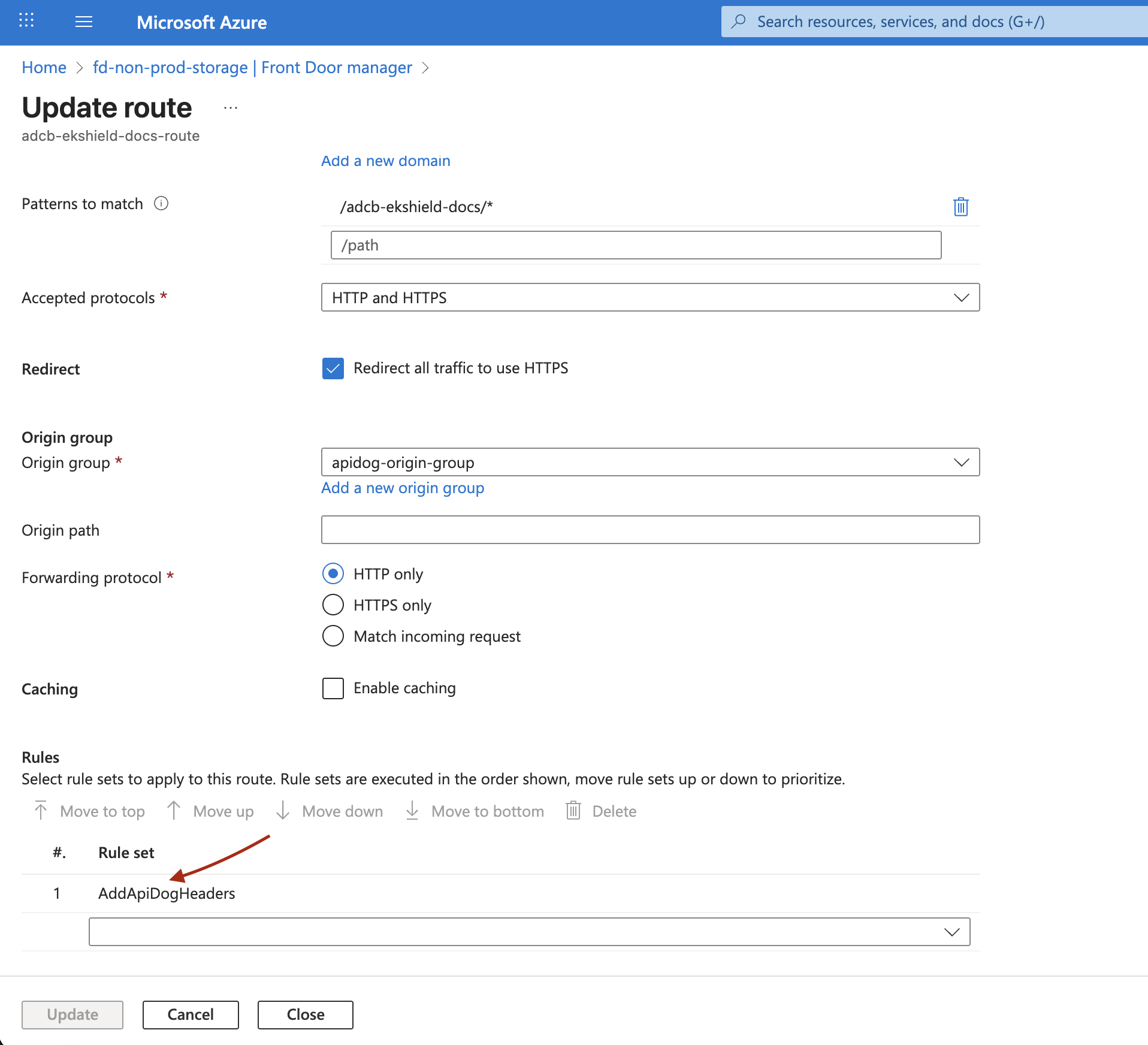
My current Azure Front Door rule set configuration is as follows:
Rule Set Name: AddApiDogHeaders
Rule: AddApiDogHeaders
Action: Add Request Header
Operator: Append
Header Name: X-Apidog-Docs-Site-ID
Header Value: 759406
Stop evaluating remaining rules: Enabled
I have also attached a PDF named customdomain-via-AFD.pdf that includes the full steps I followed to configure the custom domain using Azure Front Door.
Could you please review and confirm if there’s anything incorrect or missing in my setup?
Currently, I’m still receiving a 404 Not Found error when accessing
 ADCB ekShield
We’ve identified the configuration issue in your setup.
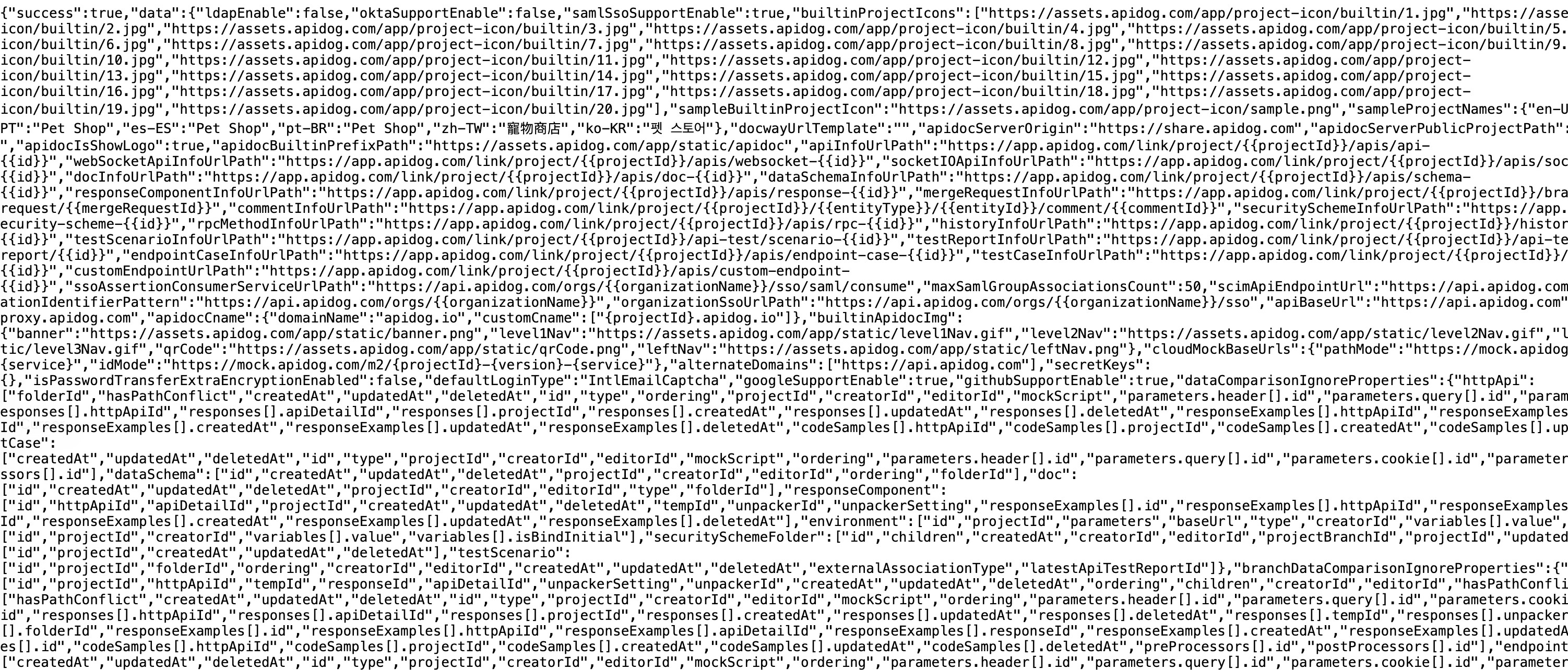
For example, when accessing this URL, you should receive a raw JSON string response instead of the “Page not found” error.
[image showing expected JSON response]
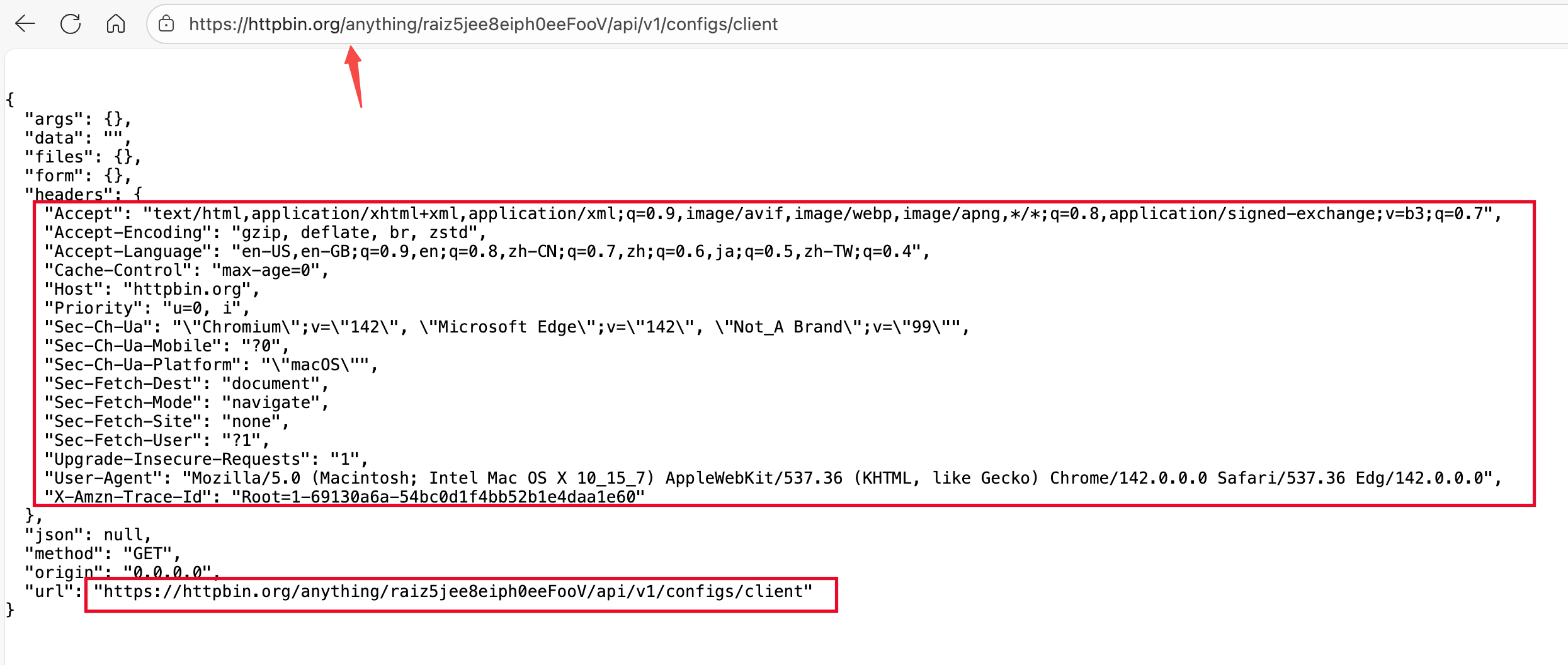
Recommendation: You can first configure the same set of rules, but rewrite them as follows: https://httpbin.org/anything/, This echo service can print out the content of the request, which will help you debug the rules on the Azure platform.
Thanks for checking this.
Could you please point out exactly what’s wrong in my current configuration and share the steps or changes required to fix it?
That would really help me correct it quickly
The issue appears to be with your routing configuration.
You’ll know it’s working correctly when accessing this URL returns a raw JSON response:
https://docs.ektar.com/adbc-ekshield-docs/raiz5jee8eiph0eeFooV/api/v1/configs/client
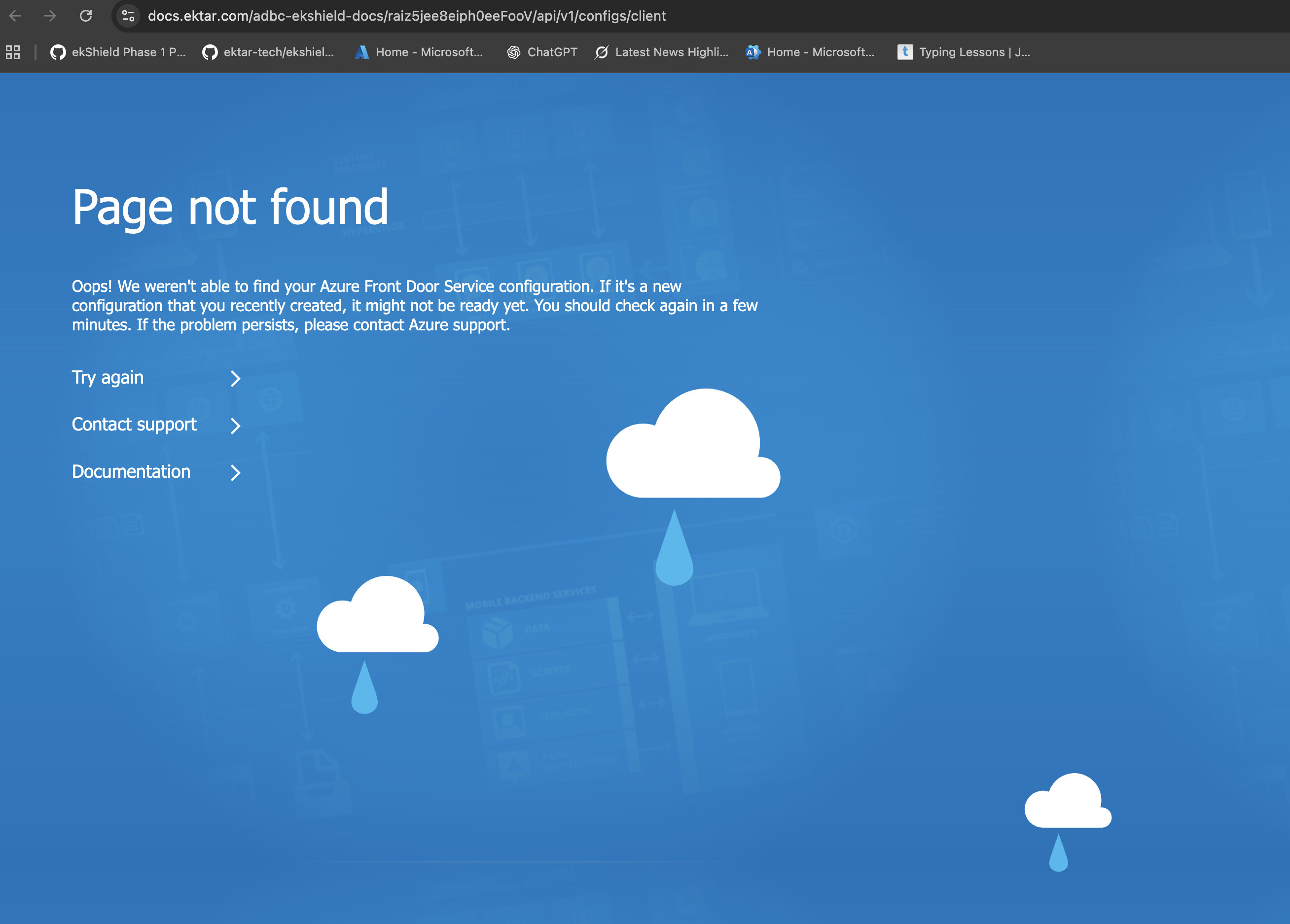
When I access this URL — https://docs.ektar.com/adbc-ekshield-docs/raiz5jee8eiph0eeFooV/api/v1/configs/client — I’m getting the Azure Front Door “Page not found” message.
Could you please share the exact routing configuration changes I should make in Azure Front Door to fix this?
If you could point out the specific mismatch between my current setup and the expected configuration, it would help me correct it quickly.
We haven’t used Azure Front Door and can’t provide precise assistance, but we think you should refer to this document: URL Rewrite - Azure Front Door | Microsoft Learn
 Issue
Issue ADCB ekShield